
My DIY pedalboard


I am using an improvised setup for my effects and gadgets.  At the moment what Im using is a Digitech RP55 guitar processor and I bought on ebay an M-Audio expression pedal and sort of opened it and changed some polarity inside to match my Digitech foot pedal and it was a success.  I can now use the pedal either as a wah or whammy.  I was quite pleased with it because not only it's a small one but it's got a big punch.


So much for that.  Now, having two pedals; a multieffects processor with the expression pedal connected to it, I think a pedalboard is a necessity.  Why?  Because the two pedals keep moving about and I had to kick it each time so that they are close to each other. What to do then?

First thing's first, I looked online for DIY pedalboards as well as proper pedalboards that are commercially available and ready to be used.  Well, it's all good but I got an improvised setup so I was thinking that it won't fit my needs.  I ended up looking inside the house for something that I can use and I found one.... a spare wood placemat which is thin but tough enough.  Having said that, I now needed something that will hold the pedals in place and that's when the power of Velcro is needed.

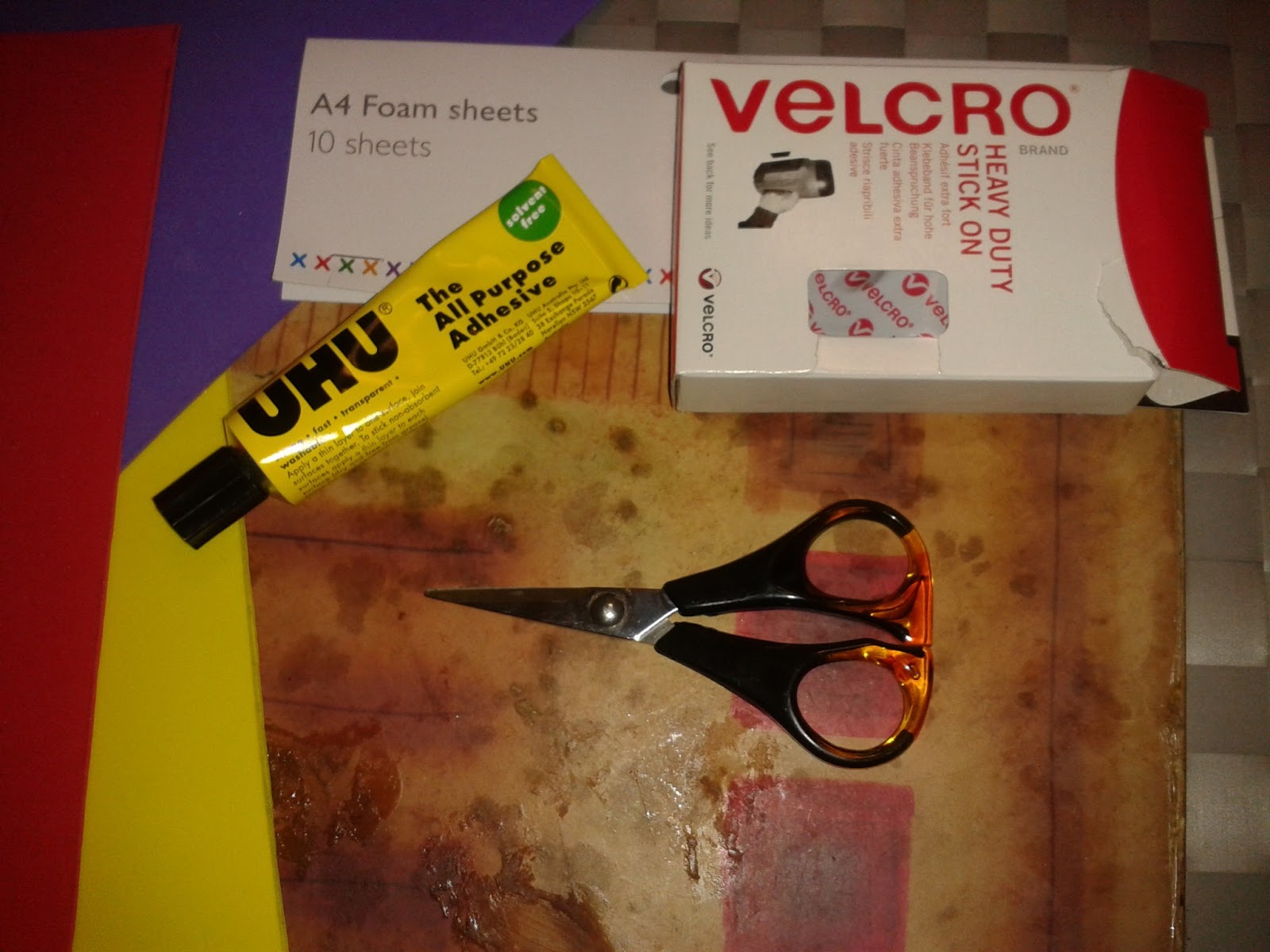
A plan is now in place and I got part of the materials needed, so I took the tape measure and try to fit the two pedals on that board and it's just a perfect fit. I went to Southampton and look around, went inside Poundland and tried in my head improvising stuff that I saw in the shop but none would fit in my ideas.  So went to West Quay and decided by chance to look in John Lewis.  Went straight to their craft section and just look around.  I saw this colourful foam sheets and I said this can be a nice cushion as well as some colourful cutouts to the board.  Also I saw a heavy duty Velcro there and an all-purpose glue gel.  So that's it, I completed all the materials I wanted and needed and when I got home, immediately work on it.  These are the photos of my DIY improvised pedalboard.


Comments

Popular posts from this blog

How to export MP3 in EnergyXT

Energy XT file save as MP3 The first thing we need to do in order to export our file, loop, clip, song or project into MP3 is to download and install LAME file to EnergyXT program.   Here’s the link where to download the LAME codec   http://lame.sourceforge.net/ Here’s another site where you can download LAME file.   http://www.rarewares.org/mp3-lame-bundle.php After successfully downloading the LAME exe file.   Copy it and paste it in your EnergyXT folder.   Normally the directory will be like this C:\Program Files\Energy XT\energyXT 2.5 for Windows Try and open now your EnergyXT and save or export file as MP3 to see if it works.

My first recording experience

I went to Norwich, a couple days back with my band, Crossedwind, to record our original compositions.  We've been exchanging on the net about ideas and backing tracks on our songs.  We made use of our celphones, recording our raw materials... pretty rough record but we managed  Then, I keep doing the backing tracks so that my bandmates can rehearse the song whilst Im away because I live here in Southampton.  To cut the story short, we almost managed to practise and finalised our songs virtually. We have four songs to record, so I arrived in Norwich last May 22 at around 6 pm, went straight to Earth Studio to rehearse.  It was like an overnight practise and then due for recording the following day.  We struggled a little bit, because backing tracks was far from doing the real thing with my bandmates.  There were changes made from intro, on how the adlib would sound, up to how we'll do the ending of the songs and so forth.  Even after our rehe...

EnergyXT comes with a flashdrive

EnegyXT comes with a portable drive or what we call flash drive.   In there are necessary files to run EnergyXT to any computer from a desktop or a laptop or a netbook as long as you got access to USB. The files that we need to copy are: clips presets projects samples temp\ energyXT2.exe energyXT.ini lame.exe libaam.dll xt.lck     energyXT2 VST.dll      energyXT.ini And paste these files in the program files with your folder EnergyXT then create a desktop shortcut or copy the shortcut onto your desktop.   The more you update your EnergyXT the more files will be included like rexloader, etc. You can now hop from one computer to another always make sure to keep your flashdrive safe and secure. This is what Im doing now, from Dell Inspiron to Sony Vaio to my wife's HP mini.  Really portable and handy.